Professional Audio Analysis
Right On Your Device

Analyze your audio mixes with AI-powered insights. Get instant feedback on stereo width, phase coherence, mono compatibility, and more. Elevate your music production.

Available on All Your Devices

Seamless experience across Apple platforms

iOS

Optimized for iPhone with intuitive touch controls and on-the-go analysis

iPadOS

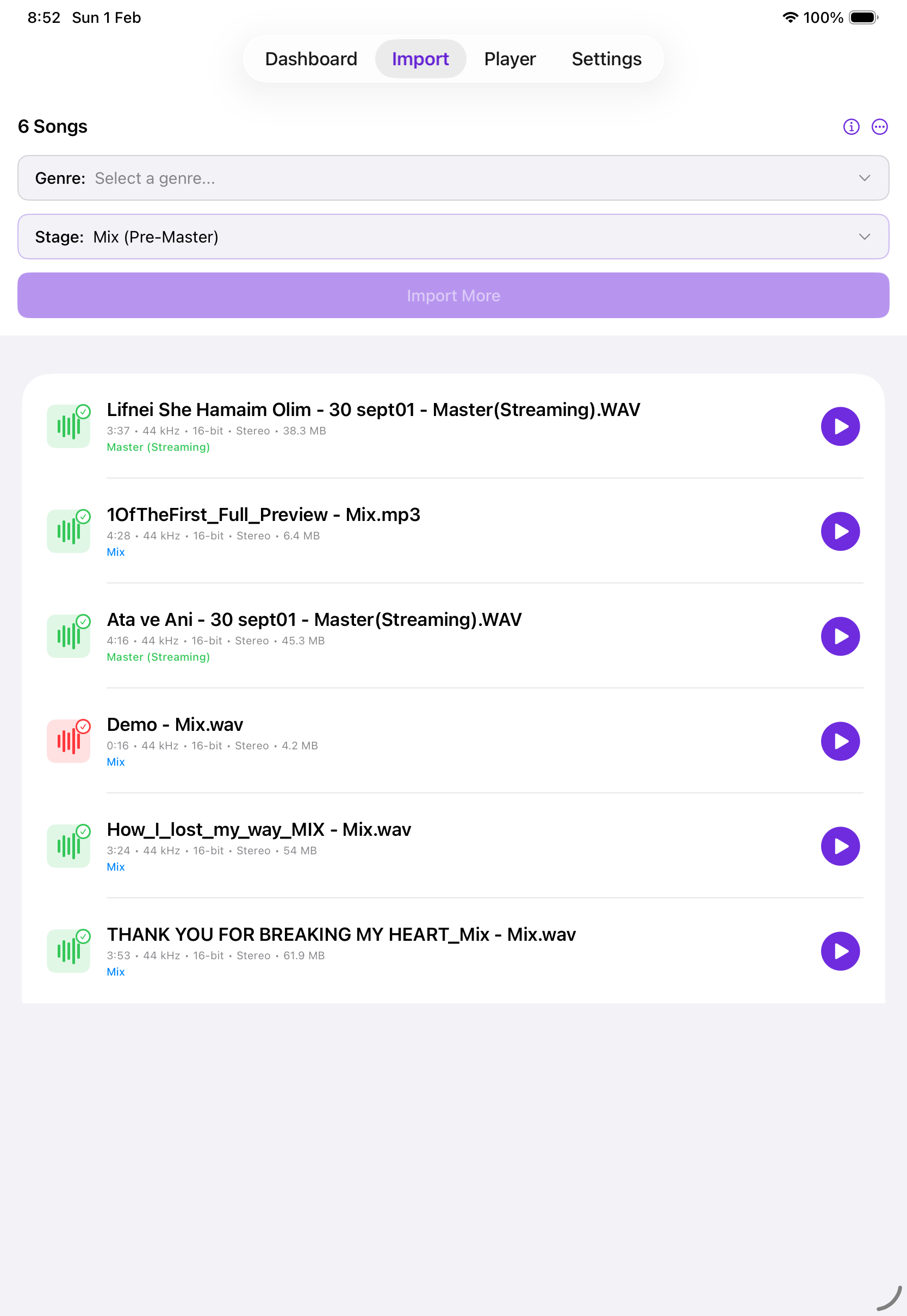
Enhanced interface for iPad with split-view support and Apple Pencil integration

macOS

Full desktop experience with advanced features and professional workflow integration

Powerful Features for Audio Professionals

Everything you need to analyze and improve your mixes

🎵

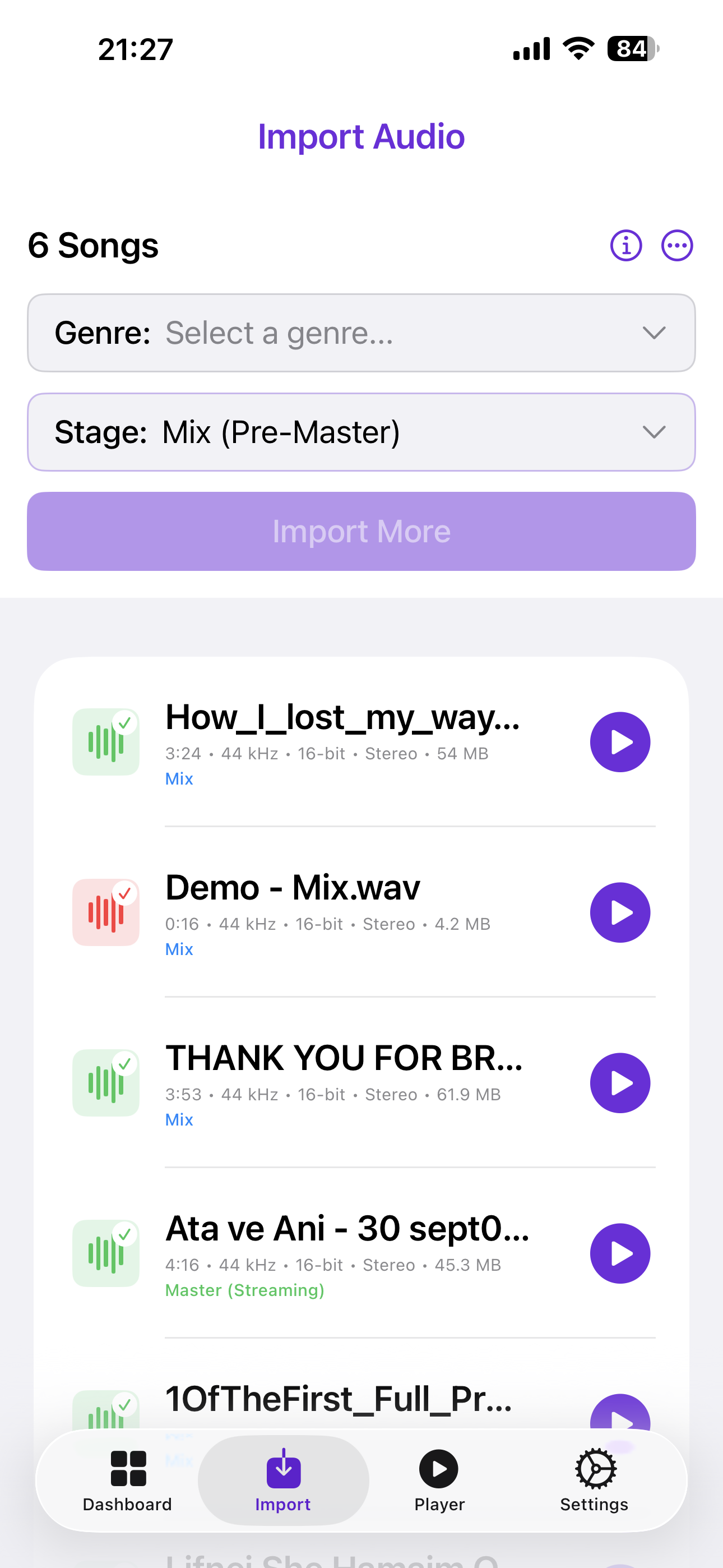
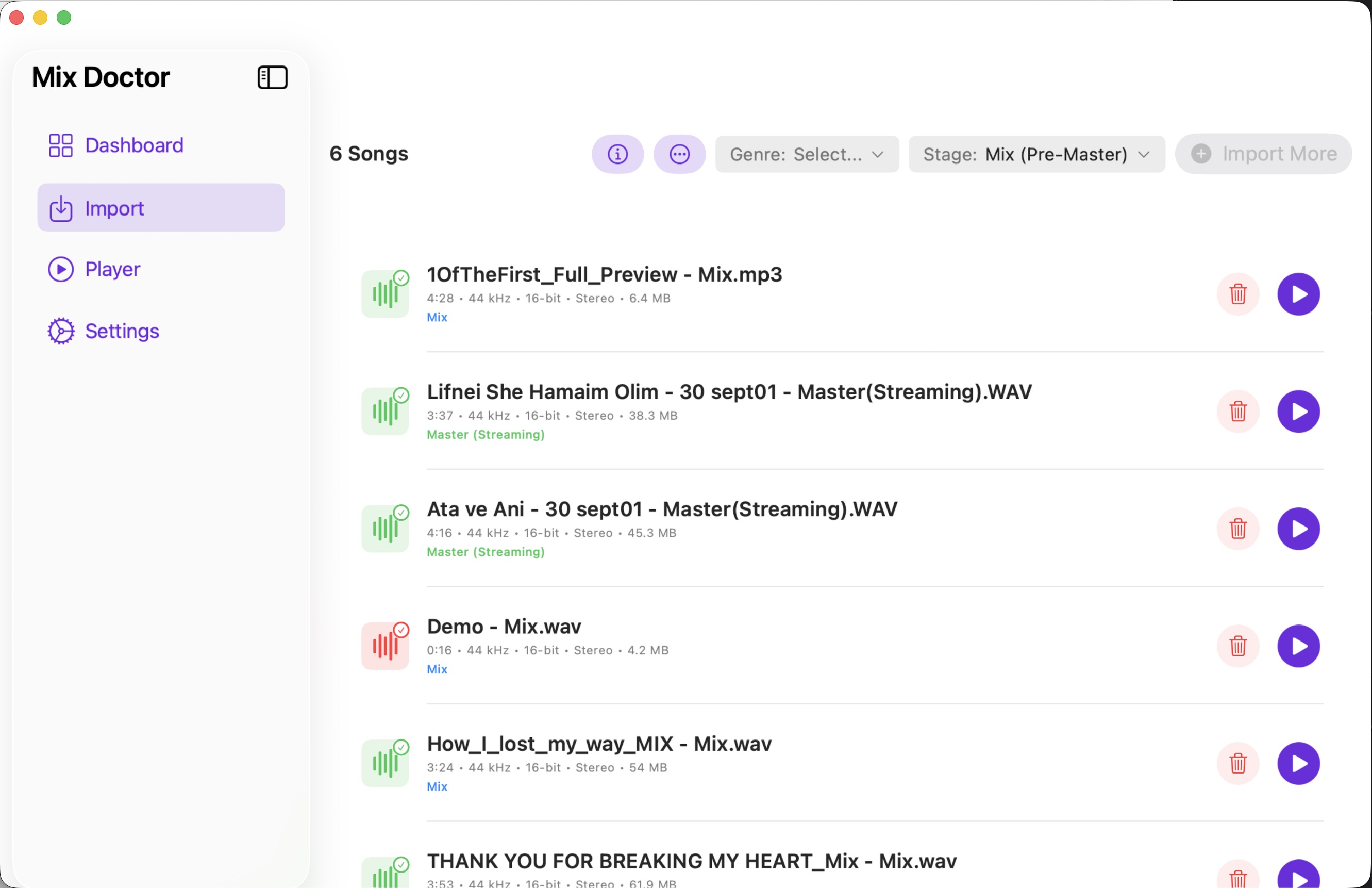
Import Your Audio Files

Support for WAV and MP3 formats. Import from your device, cloud storage, or drag and drop on macOS. Easy and intuitive file management.

📊

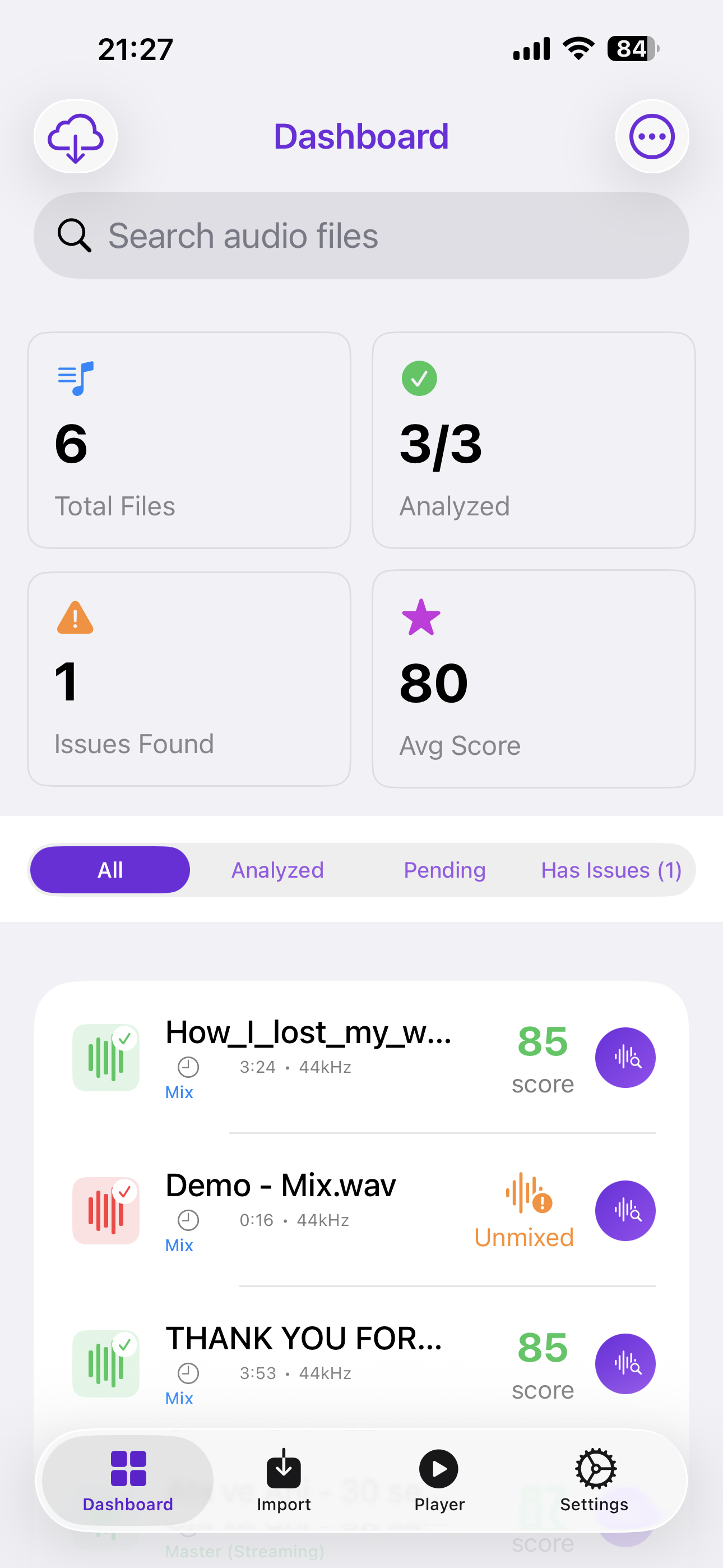
Track Your Progress

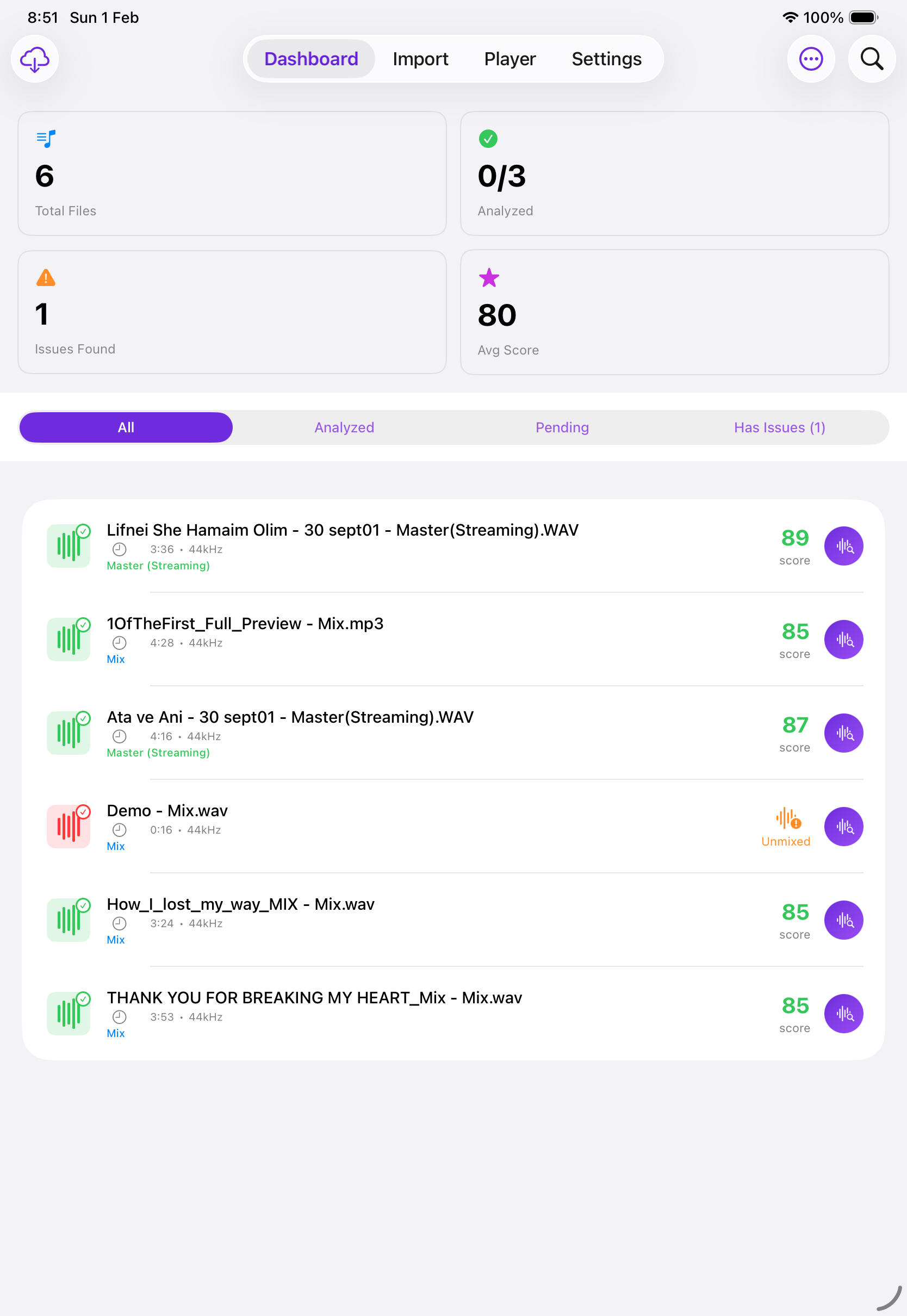
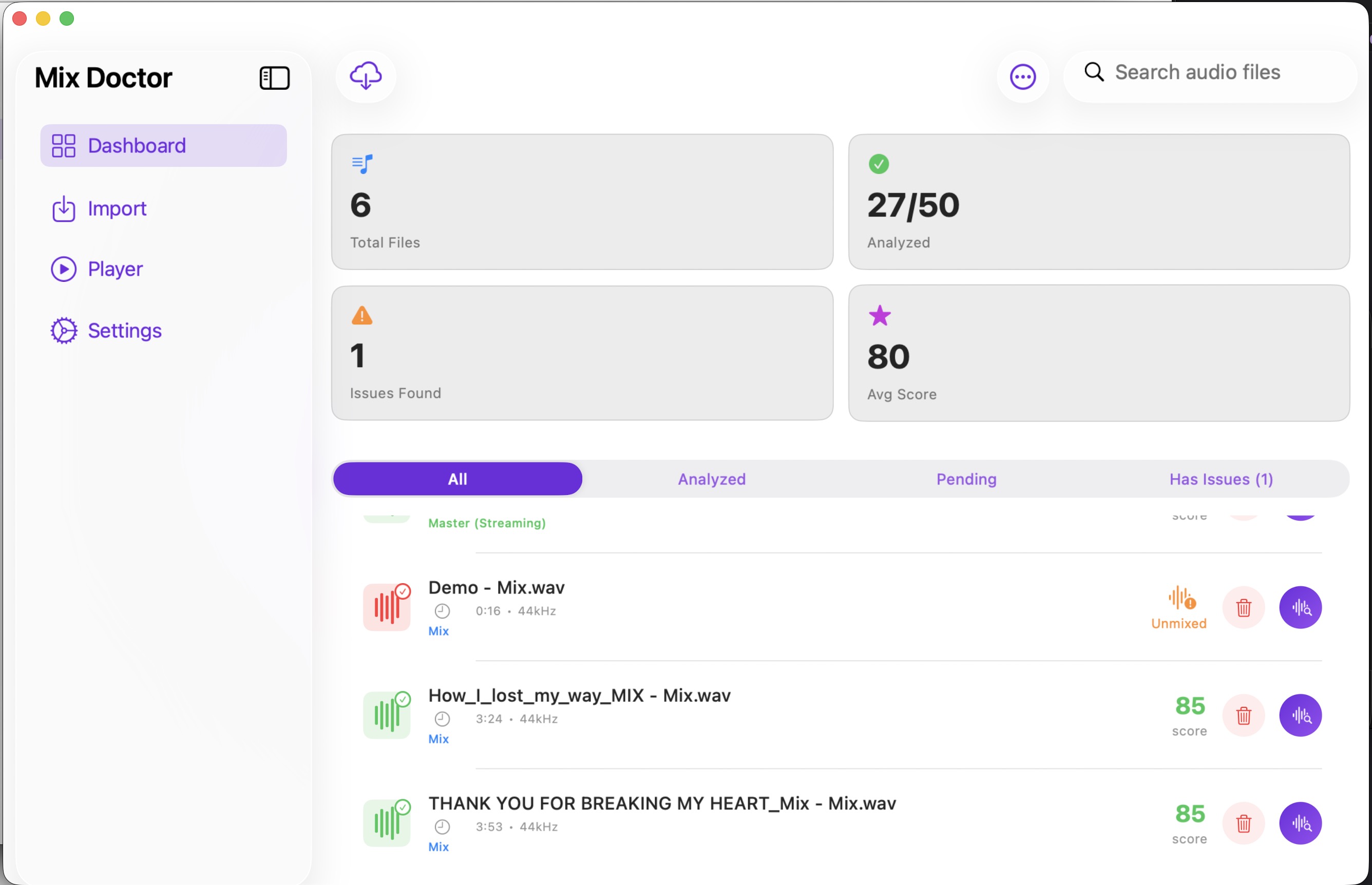
Monitor analysis results with detailed dashboards. View total files, analyzed tracks, issues found, and average scores.

🔬

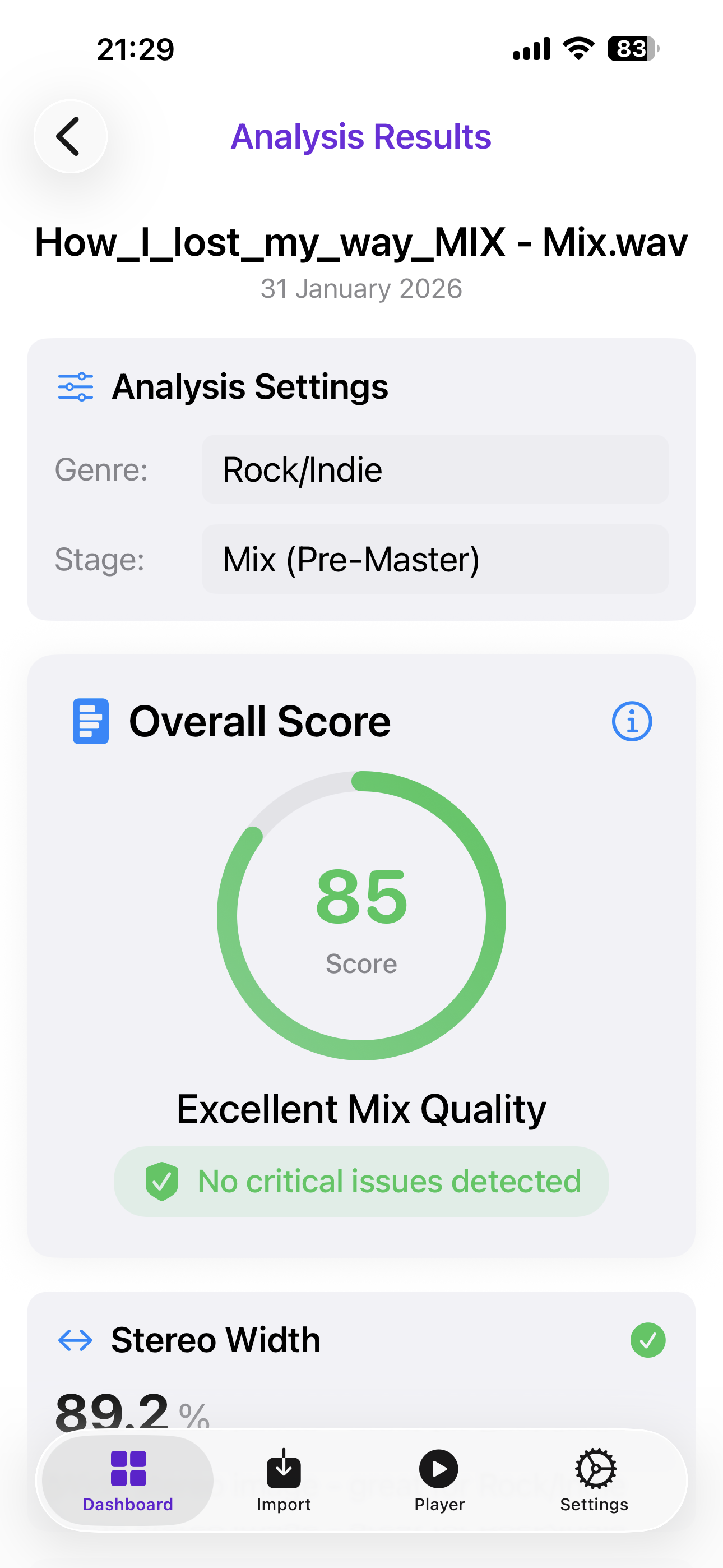
Professional Mix Analysis

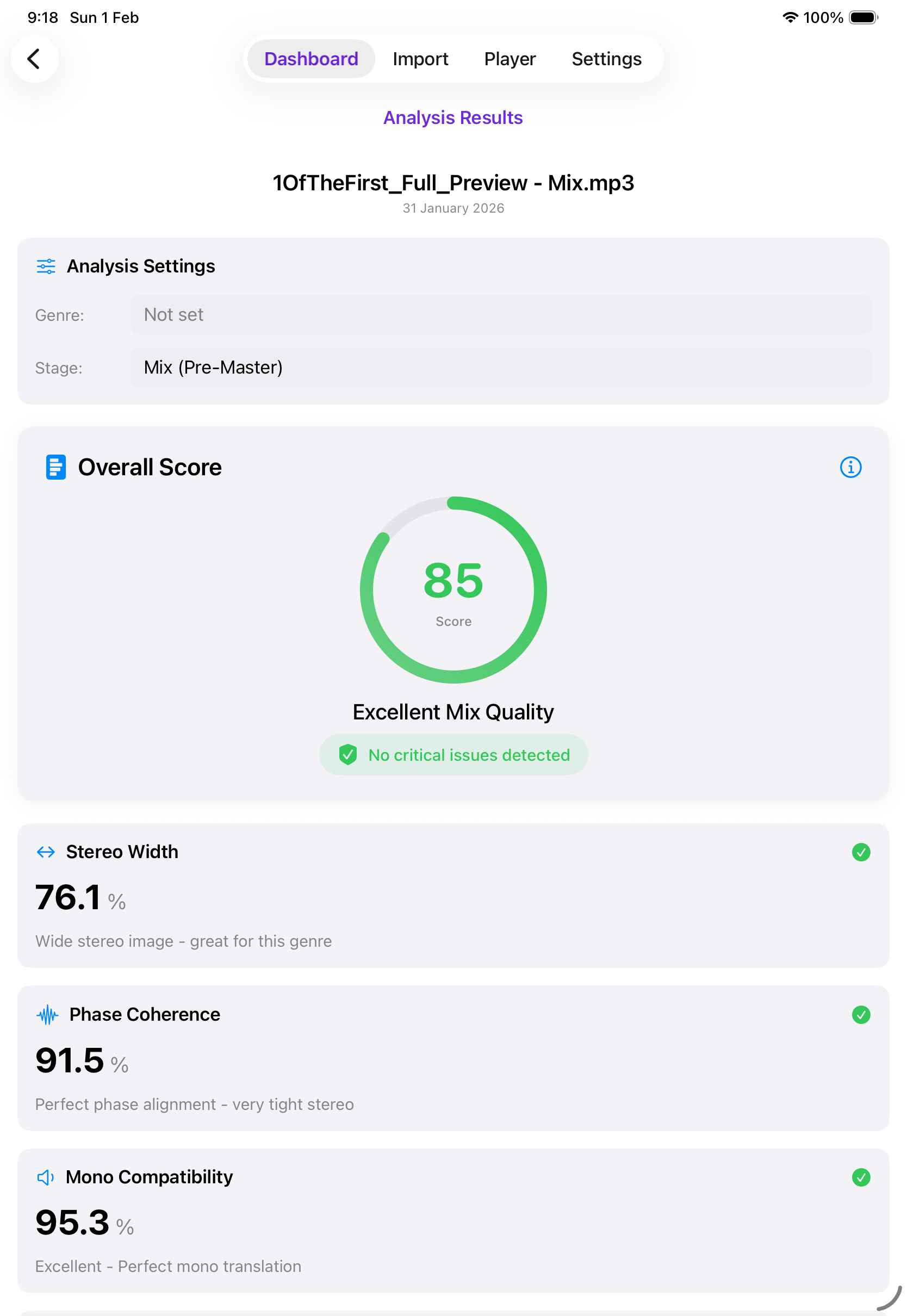
Get comprehensive analysis including stereo width, phase coherence, mono compatibility, dynamic range, and frequency balance.

🤖

AI-Powered Insights

Receive intelligent mixing recommendations powered by Claude AI. Get actionable feedback to improve your mixes.

🔒

Privacy First

All analysis happens locally on your device. Your audio files never leave your device. Optional iCloud sync available.

Lightning Fast

Powered by Apple's Accelerate framework for ultra-fast DSP analysis. Get results in seconds, not minutes.

01

Import Your Audio Files

Support for WAV and MP3 audio formats. Import from your device or iCloud Drive with ease. Drag and drop is available on macOS for streamlined desktop workflow. Batch import multiple files for efficient analysis.

  • ✓ WAV & MP3 format support
  • ✓ Drag and drop (macOS)
  • ✓ iCloud integration
  • ✓ Batch processing
Import Audio Files
02

Track Your Progress

Comprehensive dashboard showing all your analysis results at a glance. Monitor total files, analyzed tracks, issues found, and average quality scores. Filter by status and quickly identify tracks that need attention.

  • ✓ Real-time analytics
  • ✓ Quality score tracking
  • ✓ Issue detection
  • ✓ Smart filtering
Track Your Progress
03

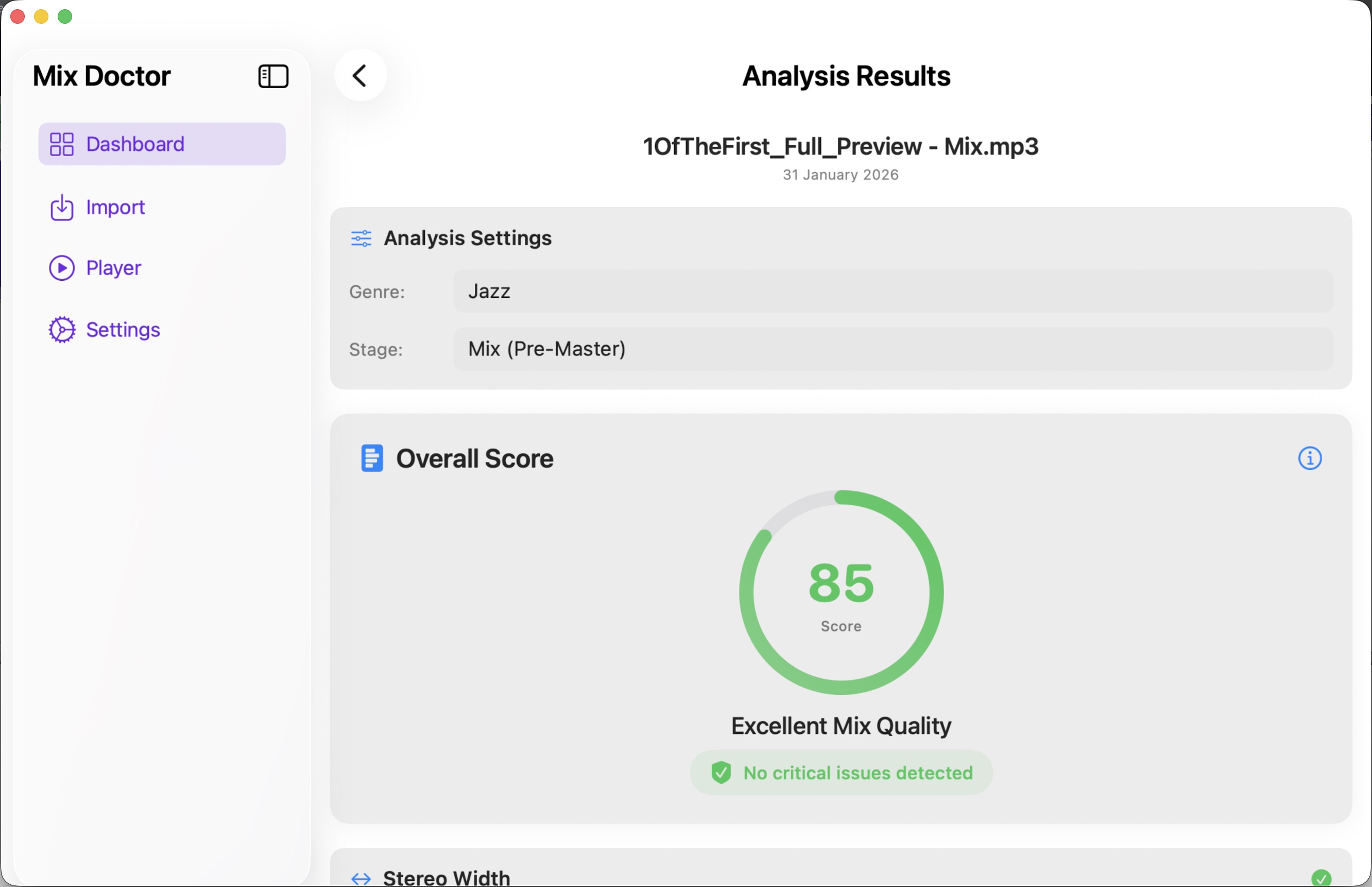
Professional Mix Analysis

Get detailed analysis results with professional metrics including stereo width, phase coherence, mono compatibility, dynamic range, and frequency balance. Each metric comes with clear explanations and recommendations.

  • ✓ Comprehensive metrics
  • ✓ Visual representations
  • ✓ AI recommendations
  • ✓ Export reports
Professional Analysis Results

How It Works

Three simple steps to better mixes

1

Import Your Audio

Upload your audio files from your device, cloud storage, or drag and drop directly into the app.

2

Analyze & Track

Our advanced algorithms analyze your audio for quality metrics, potential issues, and mixing opportunities.

3

Get Insights

Review detailed analysis results, AI recommendations, and actionable steps to improve your mix quality.

Comprehensive Audio Metrics

Professional-grade analysis for every aspect of your mix

↔️

Stereo Width

Measure the spatial distribution of your mix. Ensure proper stereo imaging without phase issues.

🌊

Phase Coherence

Detect phase cancellation issues that can weaken your mix when played in mono.

🔊

Mono Compatibility

Check how your mix translates to mono playback systems like smartphones and club systems.

📈

Dynamic Range

Analyze the difference between loud and quiet parts to avoid over-compression.

🎛️

Frequency Balance

Visualize your mix's frequency distribution across low, mid, and high ranges.

🎯

LUFS Metering

Professional loudness measurement for broadcast and streaming platform compliance.

Ready to Improve Your Mixes?

Join thousands of audio professionals using MixDoctor to create better music.

Download Now - It's Free